Choose an exact variant.
Product selection keeps size, flavour and availability together. The order preserves the purchased product details for the staff picking it.
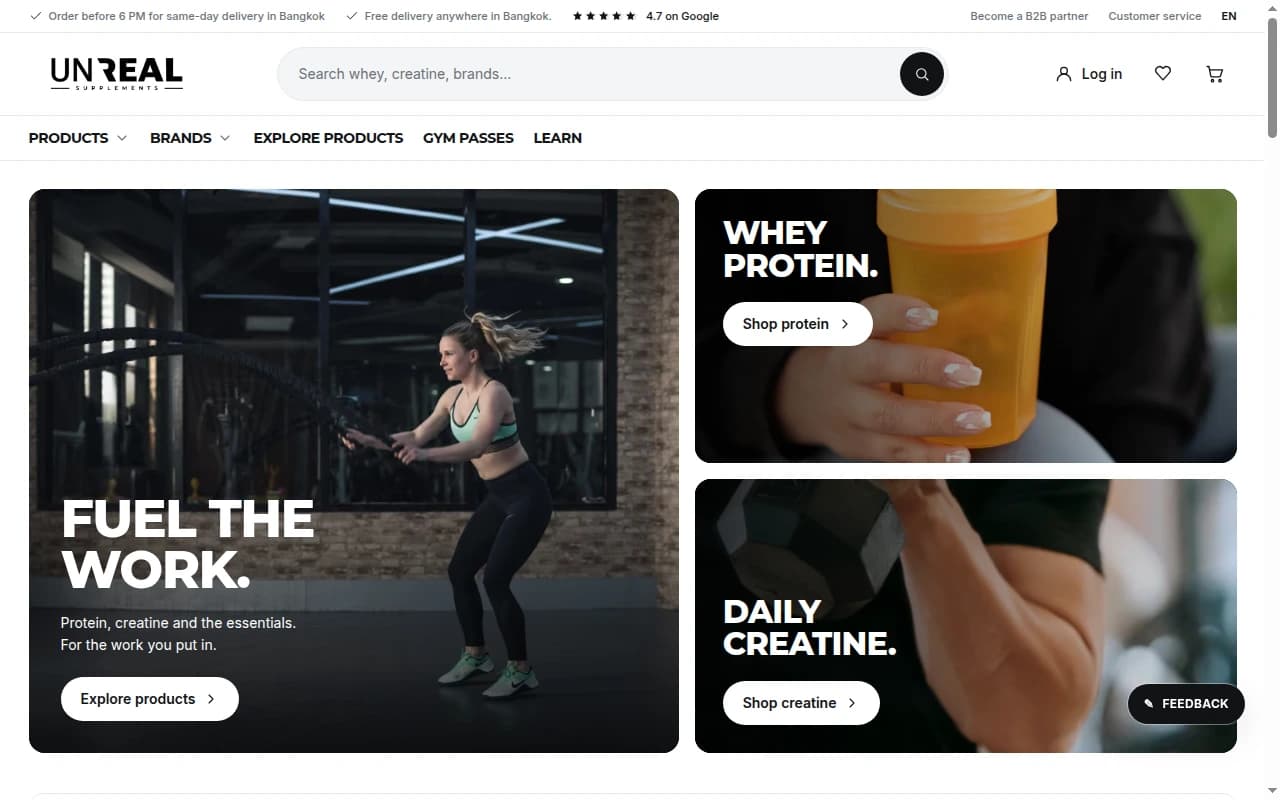
For UnReal in Bangkok, we built the shop and the software behind every pick, pack and delivery. One connected order, from the flavour a customer chooses to the bag that leaves the gym.
Follow an order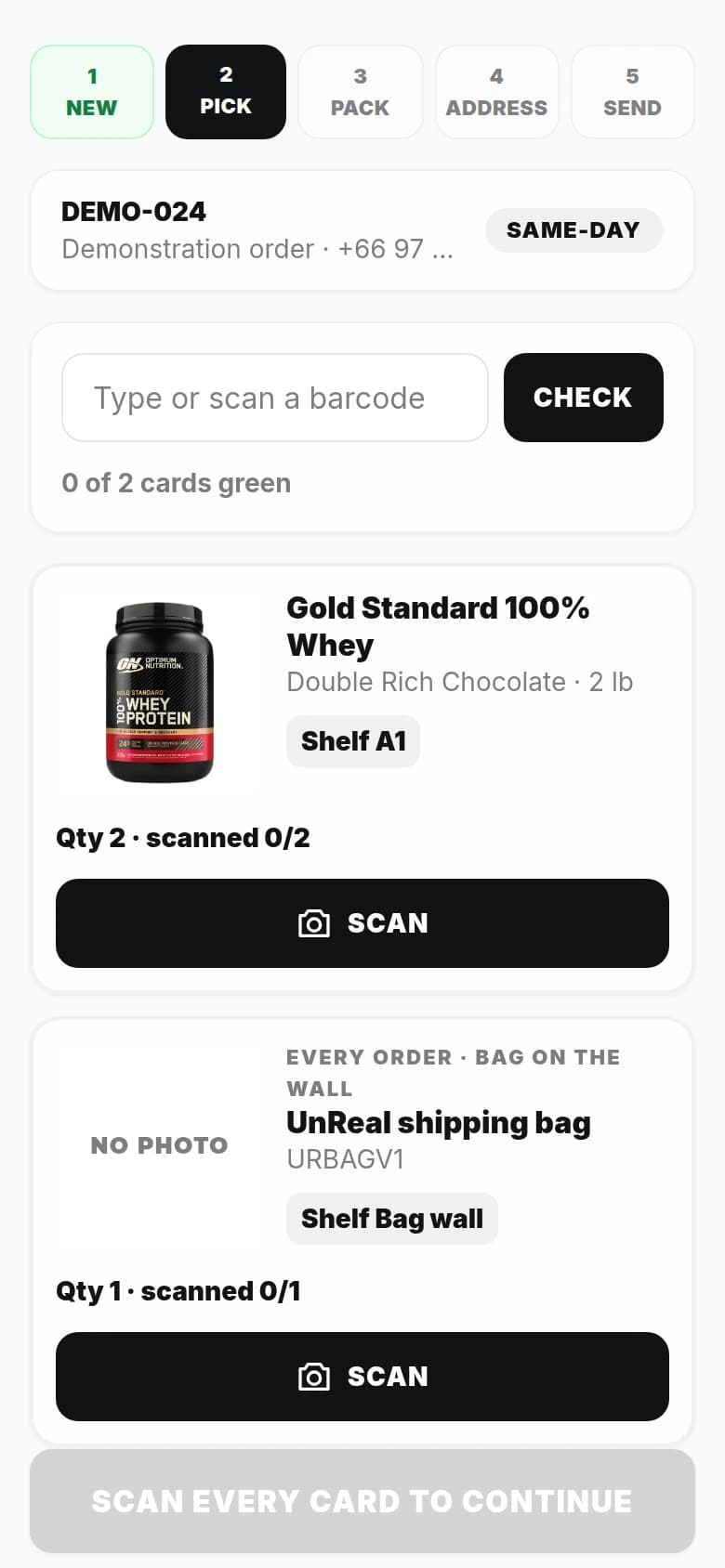
UnReal, BangkokCustom commerce and fulfilment software
DLVXProduct design, development and connected operations
On the shop floorMobile picking, desktop access and customer updates
A customer sees a product, a flavour, a size and a delivery promise. The person fulfilling that order faces a shelf of similar tubs, multiple quantities, packaging, an address and a courier booking.
We designed the connection between those two experiences. The order carries the detail forward, and the staff screen asks for the next useful action: accept it, scan it, pack it, hand it over.
The flavour and size a customer buys have to be the flavour and size that staff find. That connection begins before payment.
Product selection keeps size, flavour and availability together. The order preserves the purchased product details for the staff picking it.
A stock reservation protects the units while payment is pending. Competing checkouts are checked against what remains available.
A paid order becomes a fulfilment job. The queue also checks for paid orders missing their fulfilment record, so a missed handoff can be recovered.
Open a paid order and accept it. From there, the workspace changes with the job. Explore the actual product screens below.
Each order line becomes a product card with its image, variant, quantity and current shelf location. Staff scan the product in their hand. A two-unit order needs two successful scans.
The product and variant stay attached to the sale. The shelf location stays current, so moving a tub does not send the next picker to yesterday's rack.
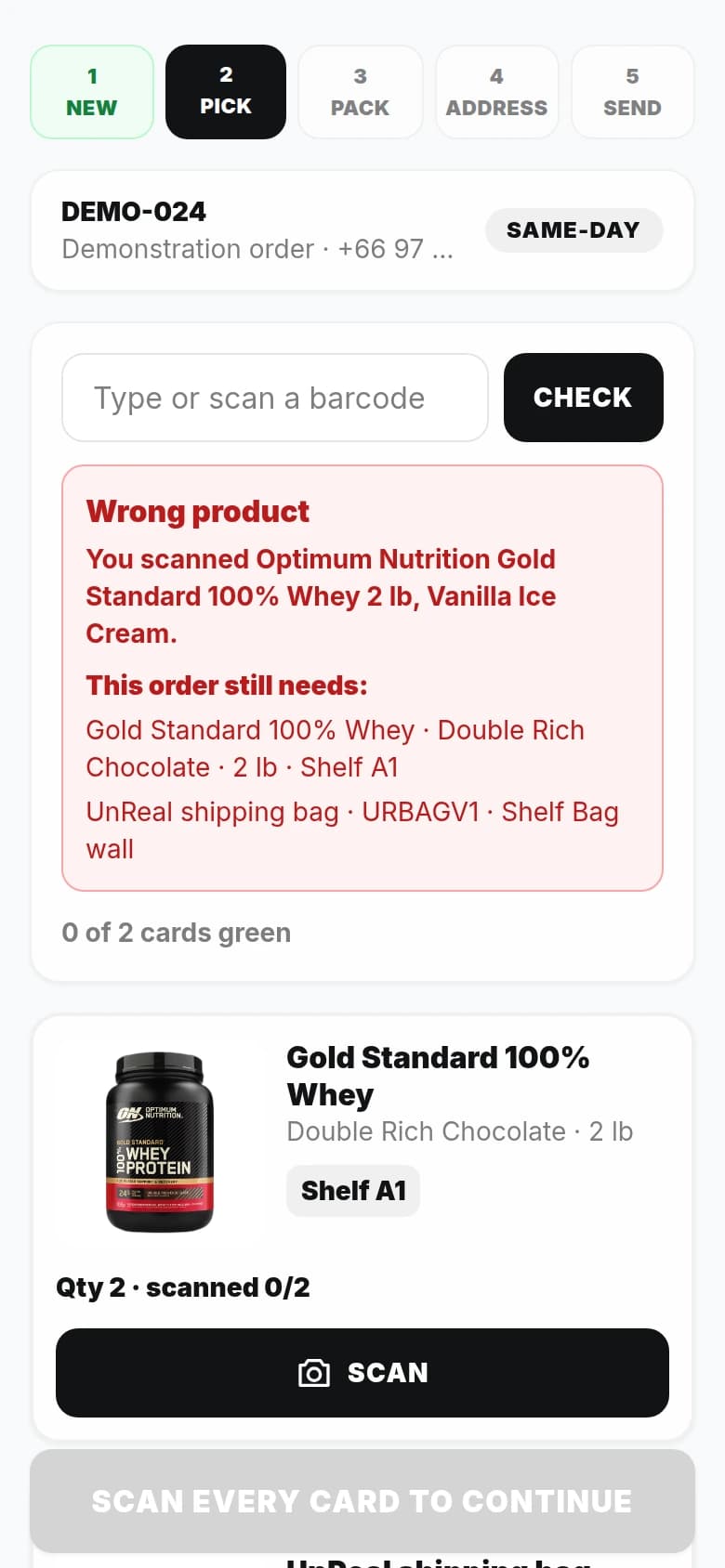
The screen names the product that was scanned and repeats what the order actually needs. The scan does not count. Staff can try again without losing their place.
A barcode shared by different products is not accepted as proof of identity. If a supervisor needs to make an exception, their reason is recorded against the order.
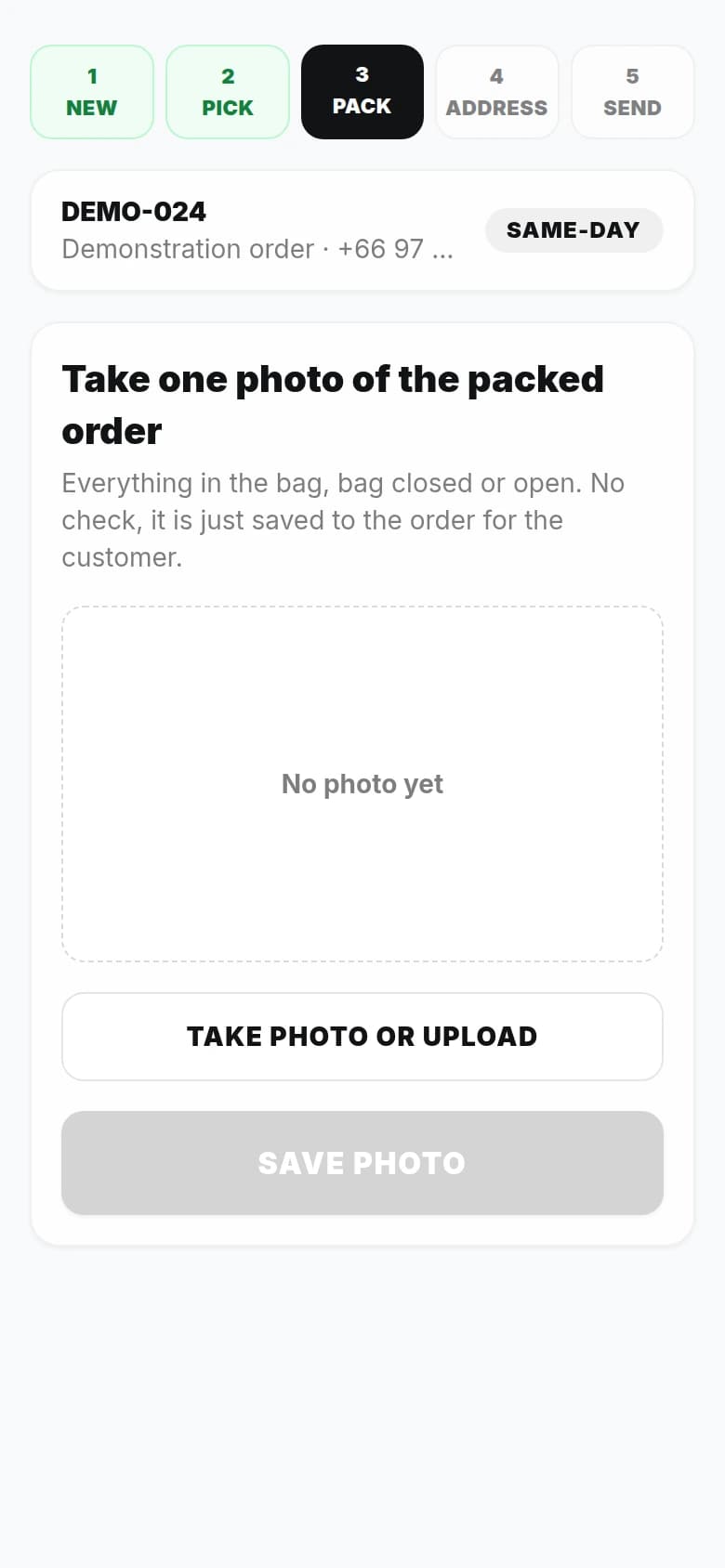
After the products and the UnReal bag are scanned, staff photograph the packed order. That image belongs to the order record and is available in the customer's order view.
Saving the photograph advances the order and triggers the packed update. The next screen appears when there is a packing record to hand over.
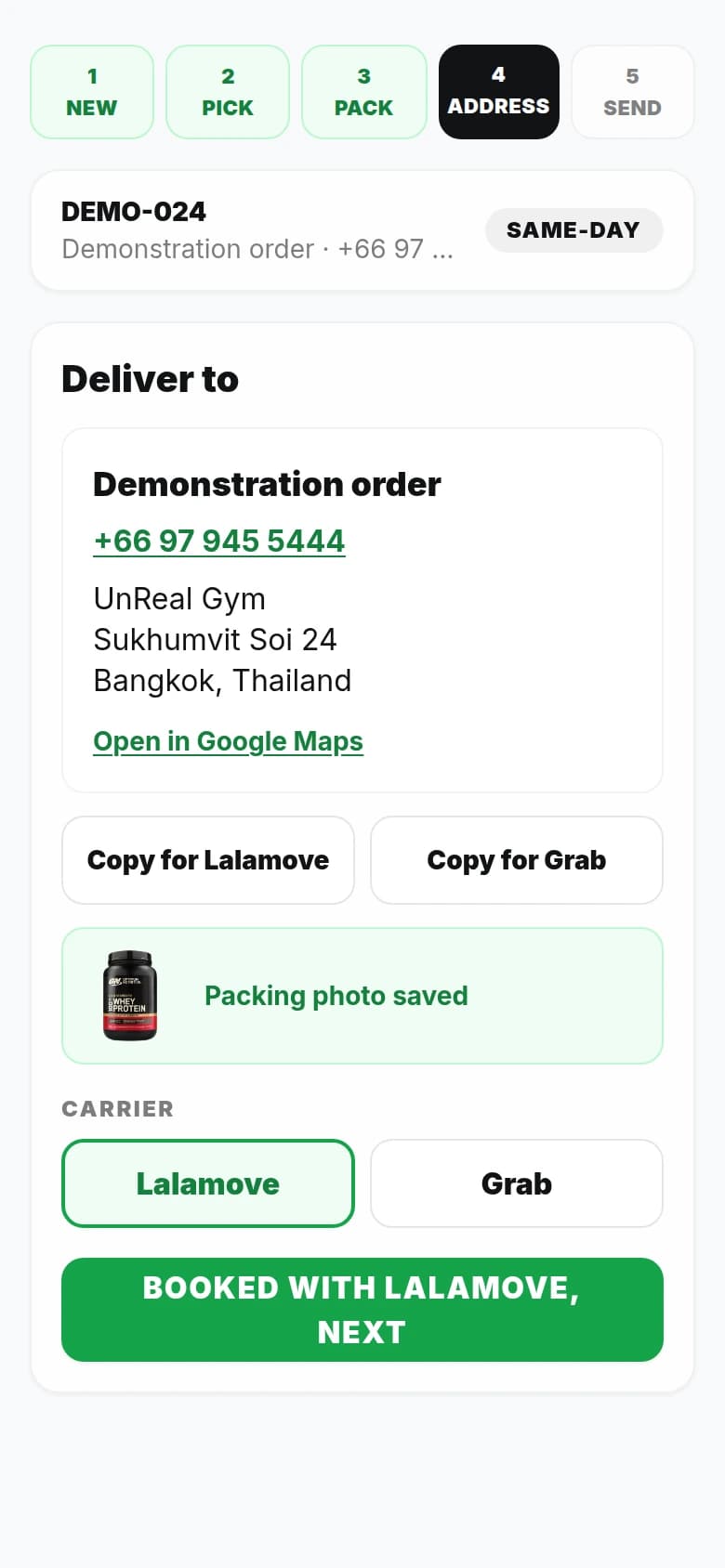
The recipient, phone number, full address and delivery notes come together after packing. Separate copy controls prepare the details for Grab or Lalamove, alongside a map link and carrier selection.
Pickup takes its own shorter path: a ready-to-collect screen, the gym location and a Collected action. Staff do not work through courier fields for a front-desk collection.
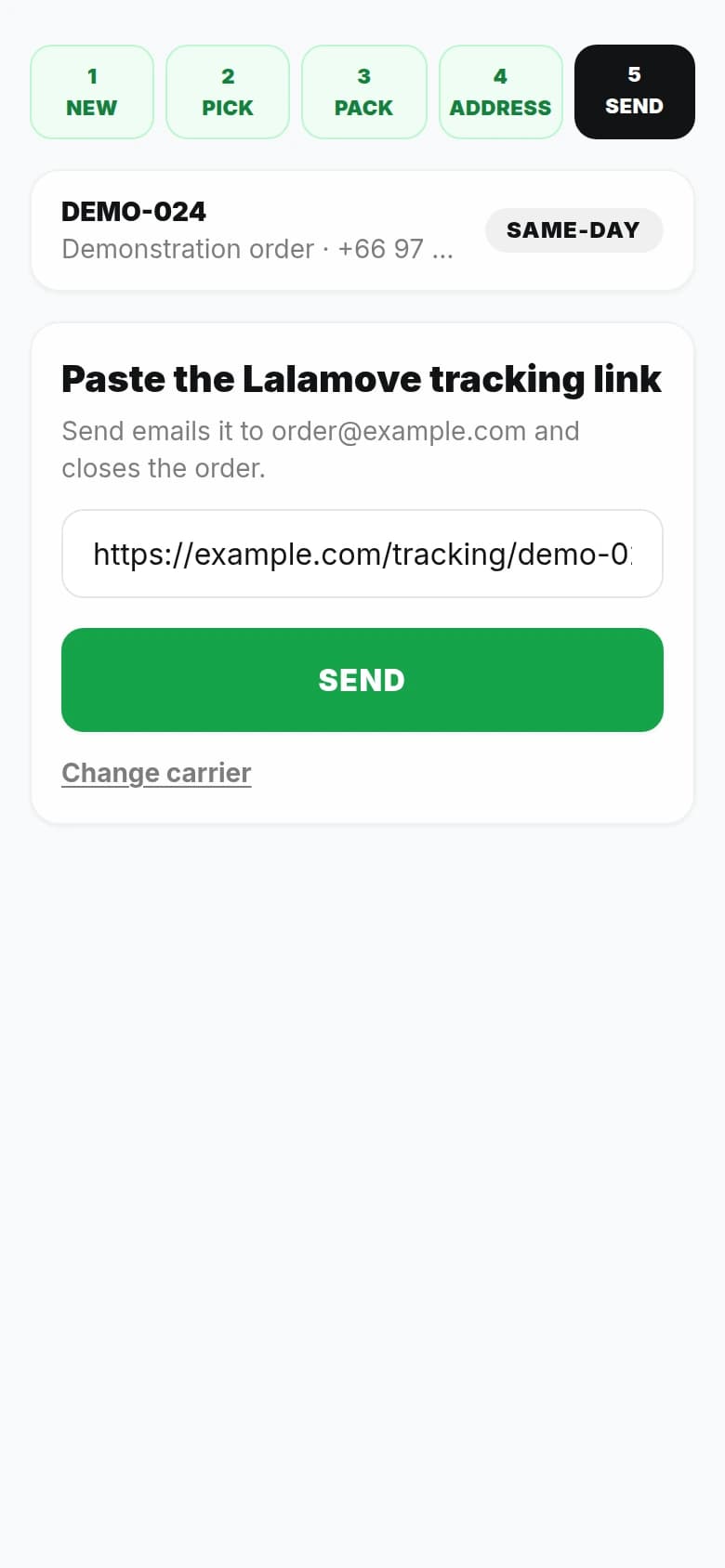
Staff add the carrier's tracking link and send it from the order. The customer receives the carrier and link, and the order moves out of the open picking queue.
Customer notification failures are visible to staff with a retry action. Payment, packing and dispatch remain distinct events in the order history.
Actual UnReal software, shown with demonstration order details.
Showing Pick, step 1 of 5.In supplement retail, a familiar label is not enough. Two tubs can share a brand and look almost identical while containing a different flavour or size.
The pick card puts the image, variant and shelf together. Each successful scan confirms one unit. A wrong item stays unconfirmed, and a duplicated product barcode is refused as evidence of identity.
Correct scans give immediate visual feedback. On supported phones, vibration reinforces the result. The camera closes on success and stays available to retry after a mismatch.
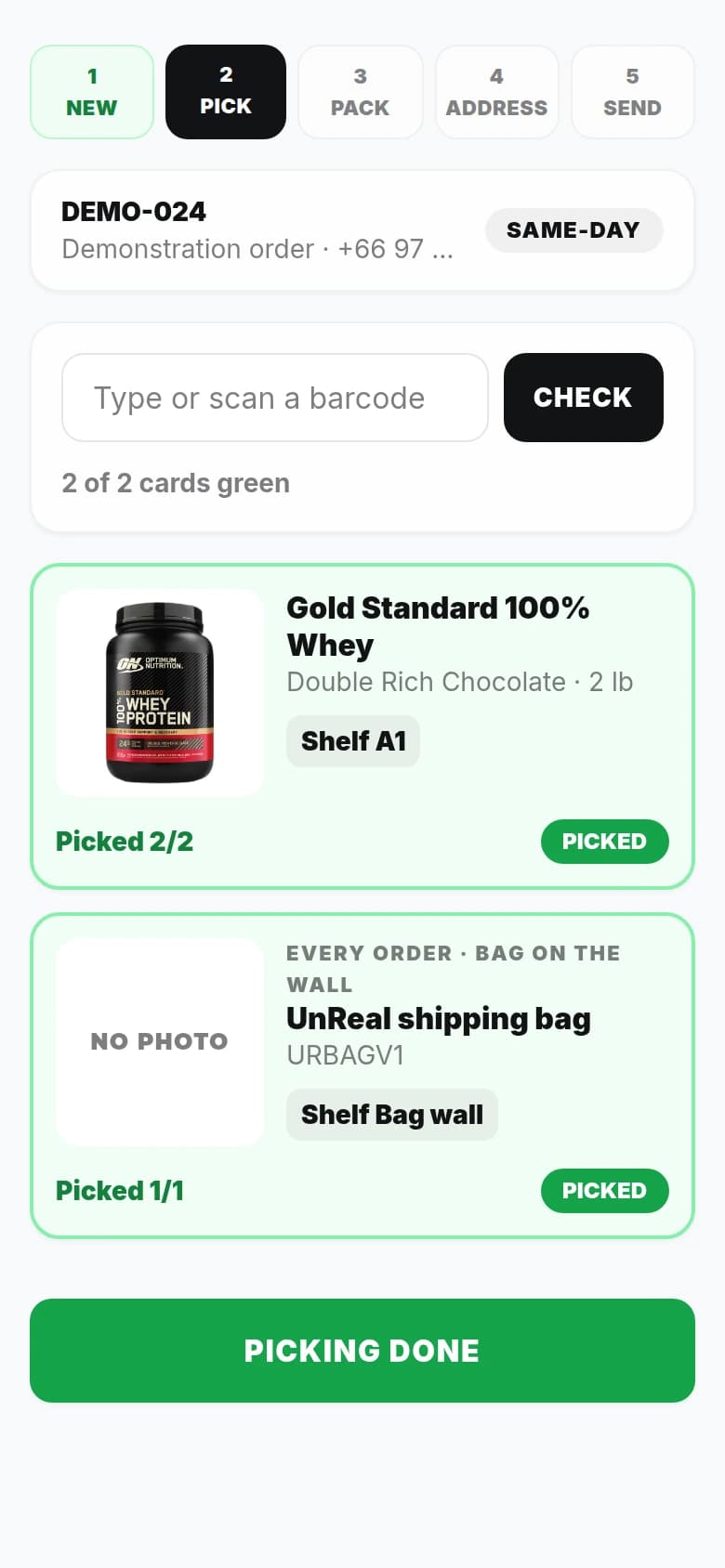
The UnReal bag is a required order line. It has its own barcode and stock count, and it is scanned alongside the products.
It is a small detail that changes the whole handoff. Packaging stops being something a person has to remember after the product list is finished. It becomes part of finishing the order.
The normal picking path unlocks when every required unit, including the bag, is confirmed. When an exception is necessary, a supervisor records a reason against their name.
A good handoff carries what has already happened and makes the next action obvious.
The packing image and order status belong to their order. When the shipment leaves, the carrier and tracking link arrive by email.
The address, phone number and delivery notes are ready to copy into Grab or Lalamove. Staff choose the carrier and bring its tracking link back to the same record.
Pickup orders show collection at the gym. The packed bag stays linked to the order reference, with a direct action to mark it collected.
Open orders and finished orders have different states. Staff can see where the work stands, the packing record and any customer email that needs another attempt.
The screen is deliberately direct. The work behind it handles the moments that can make an otherwise good order go wrong.
Actual product walkthrough with demonstration order details.
The customer chooses the product. The picker confirms the unit. The packing photo records the bag. The courier details complete the handoff.
UnReal has a purpose-built workflow that connects those moments, with a shared order record and a clear next step for the person doing the work.
Explore the wider UnReal projectDesigned and developed by DLVX for UnReal. Wil is also an UnReal investor and software contributor. Product screens use demonstration order details.
Bring us the order flow, the handoffs and the details your team has to remember. We build software around how the job gets done.
Discuss your order workflow